How to Verify TIN Number: Requirements and Common Errors
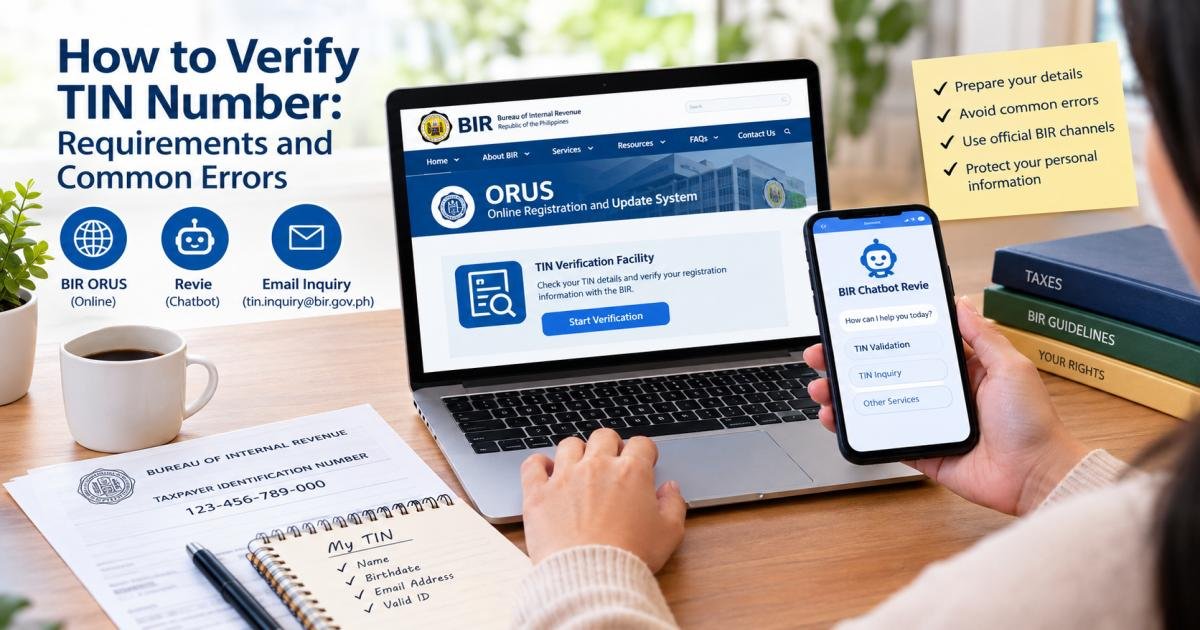
To verify a Philippine TIN, visit orus.bir.gov.ph, open “Verify TIN / Search BIR-Registered Business,” and enter the details the verification form requests. You can also use TIN Validation through the BIR’s Chatbot Review. If you do not know your number, choose TIN Inquiry instead or submit the required documents to tin.inquiry@bir.gov.ph.
Learning how to verify TIN details starts with choosing the right service. Verification checks a number you already have. Inquiry helps you retrieve a number you have lost or forgotten. The BIR provides separate routes for these tasks.
That difference matters when you start a job, check an old tax record, or discover that your details do not match. This guide explains which method to use, what to prepare, and how to handle a failed check without applying for another TIN.
How to Verify TIN Number Details in the Philippines: Quick Answer
Choose your next step based on what you already know:
| Your situation | What to do |
| You know your TIN and want to check it | Use the ORUS verification facility or Revie’s TIN Validation service. |
| You lost or forgot your TIN | Use Revie’s TIN Inquiry service or follow the BIR email inquiry process. |
| The online service refers you to the BIR | Follow the referral and prepare your identification and relevant records. |
| You find conflicting or multiple TIN records | Ask the BIR to review the records rather than choosing a number yourself. |
| Your employer requests a verification slip | Check RMC No. 31-2024, which recognizes ORUS or Revie results for routine employment verification. |
For an online check, start at the official BIR website or enter the exact ORUS address yourself. The ORUS homepage displays the verification menu.
For email retrieval, prepare the prescribed form and identity documents first. A message containing only your name does not meet the BIR’s stated requirements.
TIN Verification vs. TIN Inquiry: Which Do You Need?
Both services concern your taxpayer number, but they answer different questions.
What Is a Philippine Taxpayer Identification Number?
A Taxpayer Identification Number, or TIN, identifies a taxpayer in the Bureau of Internal Revenue’s records. The basic Philippine TIN contains nine digits. Some records also display a branch code after that number.
Your TIN and your TIN ID are not the same thing. The number identifies your tax record; the card or digital ID displays it. Losing the card does not mean you need a new number.
You generally keep the same TIN when you change jobs or move into self-employment. A new employer does not mean a new taxpayer number.
TIN Validation: Checking Whether Your Number Matches Your Details
TIN validation answers this question: “Does this number match the taxpayer details I provide?”
For example, you may find a TIN on an old employment record and want to check it before giving it to a new employer. BIR guidance directs employers to ORUS or Revie to check TIN validity and ownership.
Use validation when you already know the number. If you cannot supply it, move to an inquiry service rather than guessing.
TIN Inquiry: Retrieving a Lost or Forgotten Number
TIN inquiry answers a different question: “What TIN did the BIR issue to me?”
The BIR offers a Revie inquiry page and a document-based email process. For email requests, a BIR agent checks the submitted information against taxpayer registration records before sending the TIN information.
For instance, if your former employer handled your registration and you no longer have the paperwork, an inquiry is more suitable than a validation form that asks for the missing number.
Requirements for TIN Verification in the Philippines
Prepare for the method you plan to use. A basic online check does not have the same document requirements as an email request to recover a number.
Personal Details to Prepare Before Checking Your TIN
Keep the following information within reach:
- Your TIN, if known.
- Your complete registered name.
- Your date of birth.
- Your active email address.
- Other identifying details the official form requests.
The BIR’s email inquiry rules specifically require an individual’s complete name, sex at birth, birthday, and active email address.
Copy details carefully from reliable records. Do not replace your full name with a nickname or assume that a shortened version will match.
Revie instructs people without a middle name to leave that field blank. Do not insert “N/A” simply to fill the space.
Documents Needed for Email TIN Inquiry
Under RMC No. 37-2024, an individual taxpayer must submit:
- The completed TIN inquiry form in Annex A.
- A selfie with a valid government-issued ID.
- A separate photo of the valid ID showing the taxpayer’s birthday and photo.
These are separate requirements. A clear ID photo does not replace the selfie, and a selfie does not replace the completed inquiry form.
Requirements When an Authorized Representative Handles the Request
For an RDO request through a representative, BIR guidance calls for a Special Power of Attorney, or SPA, and government-issued identification for both the taxpayer and the representative. The authority document should specifically cover TIN verification.
Corporate requests may require a board resolution or secretary’s certificate naming the authorized representative.
For non-individual email inquiries, Annex B sets out a separate package. It includes the completed form, a scanned notarized board resolution or secretary’s certificate, and the required ID photos and selfies of the representative and authorizing officer.
Confirm the requirements for your request before asking someone to visit an office on your behalf.
Verification Methods Compared: Purpose, Requirements, and Limitations
| Method | Purpose | Main requirements | Important limitation |
| ORUS | Check a known TIN | TIN and requested registered details | Some results require BIR follow-up. |
| Revie TIN Validation | Validate a number you have | TIN and requested identifying details | It differs from retrieving a forgotten number. |
| Revie TIN Inquiry | Request a forgotten TIN | Requested personal details and identity uploads | Follow the current form’s instructions. |
| Email inquiry | Retrieve TIN information through document review | Annex A or B and the required attachments | Incorrect or unmatched information can lead to denial. |
| RDO assistance | Resolve referrals or registration issues | Identification, relevant records, and authority documents where applicable | Routine employment verification should first follow the online process. |
How to Verify Your TIN Number Online Through BIR ORUS
ORUS stands for Online Registration and Update System. Its homepage includes a dedicated option for TIN verification and registered-business searches.
Step 1: Open the Official ORUS TIN Verification Facility
Enter orus.bir.gov.ph in your browser.
Find “Verify TIN / Search BIR-Registered Business,” then select the TIN verification option.
Check the full website address before entering personal details. A page that explains ORUS is not necessarily the official ORUS service.
Step 2: Enter Your TIN and the Requested Registered Details
Complete the fields shown on the live form.
Read the instructions for number format, names, and other details. A branch code shown on a document may not belong in the same field as the base TIN, so follow the form rather than copying an entire line without checking.
The purpose is to match the number to the correct taxpayer. BIR guidance describes the online check as verification of TIN validity and ownership.
Step 3: Submit Your Request and Review the Result
Check your entries once more, then submit the request.
Read the full response. A completed submission and a successful match are not the same thing.
For routine employment checks, the BIR recognizes the verification result from ORUS or Revie as sufficient. Keep a private copy if you need to provide the result to your employer.
Step 4: Follow the Instructions if Further Verification Is Required
Follow any referral shown by the service.
BIR guidance allows manual attention in cases such as an unavailable online facility, a system referral, registration information that needs reconfirmation, or multiple or identical TINs.
Do not treat a referral as an instruction to register again. It means the issue needs further review.
Also Read: Barangay Clearance Request Letter: Templates You Can Copy
How to Verify Your TIN Number Using Chatbot Revie
The BIR identifies Chatbot Revie as an official route for TIN validation and inquiry. It also points taxpayers to Revie’s RDO Finder when they need office information.
Step 1: Access Revie Through the Official BIR Website
Visit bir.gov.ph and open Chatbot Revie.
The official service also has separate pages at:
- revie.bir.gov.ph/tin-validation
- revie.bir.gov.ph/tin-inquiry
If a search result leads elsewhere, return to the BIR website before sharing your information.
Step 2: Select TIN Validation or TIN Inquiry
Choose TIN Validation if you know your number.
Choose TIN Inquiry if you need to retrieve it. Revie provides separate forms for these purposes.
This choice prevents a common dead end: opening a validation form when the very detail you need is the number itself.
Step 3: Enter the Required Information Accurately
Follow the instructions beside each field.
Revie states that you do not need hyphens or dashes in the TIN entry. It also tells users without a middle name to leave that field blank.
For inquiry images, the official page lists JPEG and PNG formats and a 25 MB size limit. Check the live instructions before uploading in case the service changes its file rules.
Step 4: Review the Response and Follow Any Referral Instructions
Read the response carefully and note the next action, if any.
If the online route cannot resolve your case, contact the BIR through the proper channel. BIR guidance recognizes situations where an RDO needs to review registration details or handle a referral.
How to Retrieve a Forgotten TIN Through Email
Email inquiry gives you a way to request your issued TIN through an identity check. RMC No. 37-2024 sets out the process and required attachments.
Download the Appropriate BIR TIN Inquiry Form
Find RMC No. 37-2024 in the BIR’s official revenue circulars section.
Use Annex A for an individual taxpayer and Annex B for a non-individual taxpayer. The BIR’s circular listing includes the supporting documents for the issuance.
Use the prescribed form rather than an unrelated website’s substitute.
Prepare the Required ID Photos and Supporting Documents
For an individual inquiry, complete Annex A and prepare both required images: the selfie with your valid government-issued ID and the separate ID photo showing your birthday and photo.
Before sending, inspect the attachments:
- Can you read the ID details?
- Does glare hide your name or birthday?
- Is your face clear?
- Did you complete every required part of the form?
- Did you attach both images?
A careful review helps you submit the evidence the BIR requests.
Send Your Request to tin.inquiry@bir.gov.ph
Send the completed form and required attachments to tin.inquiry@bir.gov.ph, the address named in RMC No. 37-2024.
Use a clear subject line, such as “TIN Inquiry Individual Taxpayer.” This is a practical suggestion, not a prescribed subject format.
Keep the email brief. State that you want to retrieve your issued TIN and that you have attached the required documents.
Understand a Successful Reply or a Denied Inquiry
The BIR’s Customer Assistance Division checks the submission against its taxpayer registration system.
If the information matches, the BIR sends a reply containing the TIN information. If the details are incorrect or unmatched, it denies the inquiry and states the reason.
A denied inquiry does not automatically mean that no TIN exists. Read the reason before deciding what to correct or where to seek help.
Common TIN Verification Errors and What to Do Next
A failed check can involve an entry error, a record mismatch, missing documents, or an unavailable service. Start with the problem you can confirm.
Incorrect Digits, Missing Digits, or Formatting Mistakes
Compare your entry with a reliable record.
Look for reversed digits, an omitted digit, extra spaces, or confusion between the nine-digit base number and a branch code. Philippine TIN records can display both the base number and a branch code.
Follow the service’s instructions. Revie, for example, says to omit hyphens and dashes.
Do not change digits simply to get a different result.
Incorrect Birthdate or Other Personal Details
Check your birthdate and its required format. Then review your full name and middle-name entry.
If you have no middle name, follow Revie’s instruction to leave the field blank.
If your accurate current details still fail to match, ask the BIR whether the registration record needs review. Reconfirming registration information is one of the recognized reasons for manual assistance.
“No Record Found” or an Unmatched Result
An unmatched result means the service did not confirm the submitted details. It does not establish the reason on its own.
Check the information, make sure you selected the correct service, and use inquiry if you do not know your TIN.
The email rules show why caution matters: the BIR can deny a request when the submitted details are incorrect or unmatched.
Service Unavailable, Timeouts, or Failed Submissions
A page-loading error does not prove anything about your tax record.
Check your connection, reopen the official page, and try again later. If the problem continues, consider another official channel.
BIR guidance recognizes an unavailable online facility as a case that may require manual verification.
Incomplete Email Requests or Unclear ID Photos
Check the complete package before resending.
For individual taxpayers, the BIR requires Annex A, a selfie with a valid government-issued ID, and a separate ID photo showing the birthday and photo.
If the BIR has replied, address the reason it gave. Resending the same incomplete request will not supply a missing form or clearer image.
When Should You Contact or Visit a BIR Revenue District Office?
Contact an RDO when your case needs a record review or the online service directs you there.
Online Verification Is Unavailable or Directs You to an RDO
An unavailable facility or an online referral can justify manual assistance under the guidance on RMC No. 31-2024.
Keep the error message or referral privately so you can explain the issue without relying on memory.
Your Registration Details Need Further Verification or Correction
Ask for BIR help when the problem concerns registered information rather than a typing mistake.
Examples include conflicting personal details or a record that requires reconfirmation. The circular’s guidance recognizes the need to check the accuracy and completeness of registration information.
Explain the exact mismatch and ask which supporting documents apply.
You Suspect Multiple or Identical TINs
Do not choose between conflicting numbers yourself.
Multiple or identical TINs fall within the cases that may need manual BIR verification.
Bring the relevant records and explain where each number came from. Do not submit a new application to avoid resolving the conflict.
What Identification and Supporting Records to Prepare
Prepare valid government-issued identification and records that explain the problem, such as relevant BIR documents or employment records.
For representative requests, prepare the required authority documents and IDs. BIR guidance calls for an SPA or applicable corporate authorization that specifically covers TIN verification.
Confirm case-specific requirements before travelling.
Do Employees Need a TIN Verification Slip for a New Job?
For routine employment verification, employers should use ORUS or Revie rather than require every new employee to obtain a manual verification slip.
What BIR RMC No. 31-2024 Says About Employer Verification
RMC No. 31-2024 addresses TIN verification that employers require from newly hired employees.
P&A Grant Thornton’s explanation states that employers must use the BIR’s online facility through ORUS or Revie to check validity and ownership. It also states that either service’s result is sufficient.
Why ORUS or Revie Results Are Sufficient for Employment Verification
The check links the employee to the correct TIN so the employer can report compensation accurately. The BIR guidance recognizes the online result for that purpose.
For example, HR can check an employee’s existing number through the official service instead of automatically sending the employee to an RDO.
Exceptions That May Require RDO Assistance
Manual assistance may still apply when:
- The online facility is unavailable.
- The service directs the taxpayer to the BIR.
- Registration information needs reconfirmation.
- Multiple or identical TINs require review.
These exceptions do not create a routine office-visit requirement for every new hire.
How to Protect Your Personal Information During TIN Verification
The BIR treats TINs and related personal information as sensitive. In its public guidance, it directs taxpayers to the appropriate private channels rather than disclosing TIN information through public requests.
Identify Official BIR Websites Before Entering Your Details
Check the full address:
- bir.gov.ph
- orus.bir.gov.ph
- revie.bir.gov.ph
These are the official BIR and service addresses identified in the cited guidance and service pages.
A familiar logo or similar domain name does not establish that a page belongs to the BIR.
Avoid Fixers and Unofficial TIN Verification Forms
Use the official channels before handing your information to someone who offers to check your number.
A third-party article may explain the steps, but its own upload form is not a substitute for the BIR’s designated process. The BIR identifies the proper online, email, and office routes.
Submit Identity Documents Only Through the Appropriate Official Channel
Match your documents to the service.
For email inquiry, send the prescribed package to the designated BIR address. For Revie, follow the official form’s requirements.
Avoid sending the same identity documents to unrelated accounts simply because someone claims they can help.
Keep Your TIN, ID Photos, and Verification Results Out of Public Posts
Describe an error without publishing the records behind it.
For example, say that the service returned an unmatched result rather than sharing an unredacted screenshot containing your number, birthday, and name. This approach respects the sensitivity of the information the BIR identifies.
Verifying a Philippine TIN From Overseas
Start with the official remote options if you live or work outside the Philippines. Your case may still need office assistance, but a missing TIN does not automatically require immediate travel.
Online Verification and Email Inquiry Options for Overseas Taxpayers
ORUS and Revie are the BIR’s online routes. The email inquiry process provides another way to submit identity documents for review. These are reasonable first options to try from abroad, subject to service access and case requirements.
Choose validation if you know your number. Choose inquiry if you need to retrieve it.
When Assistance From an Authorized Representative May Be Needed
A representative may help if the BIR requires an in-person action you cannot complete yourself.
Before preparing documents abroad, confirm the office’s requirements. BIR guidance identifies an SPA and IDs for individual representative requests, with separate authority documents for corporations.
Checking a Non-Philippine TIN: Use the Issuing Country’s Tax Authority
Use the tax authority of the country that issued the number. BIR services concern Philippine taxpayer records.
The OECD publishes country-specific information on TIN structures and rules and directs further questions to the relevant tax administration.
Also check what a tool actually confirms. The European Commission explains that its TIN checker assesses structure or syntax; it does not establish someone’s identity or confirm that the number exists.
FAQs
Can I Verify My TIN Without a Physical TIN ID?
Yes. You can check a known TIN through the official online services by providing the details the form requests. The BIR recognizes ORUS and Revie for validity and ownership checks.
For email retrieval, the requirements include a valid government-issued ID and the prescribed attachments, not specifically a physical TIN card.
Can I Retrieve My TIN Using Only My Name?
Not through the BIR email inquiry process. Individuals must submit the completed form, required personal details, a selfie with a valid government-issued ID, and a separate ID photo.
Is Online TIN Verification Free?
Published Philippine guidance describes online TIN verification as free. You do not need to pay a third-party agent to access the official verification service.
Your case may involve separate expenses, such as travel, copies, or notarized authority documents.
How Long Does TIN Verification Take?
An online service may return a result during the session, but referrals and technical problems can extend the process. An email inquiry requires a BIR agent to compare your submission with registration records.
The RMC No. 37-2024 digest does not give a guaranteed email response time, so do not plan around an unsupported promise of a fixed number of hours or days.
Can an Employer Verify an Employee’s TIN?
Yes. RMC No. 31-2024 directs employers to use ORUS or Revie to check TIN validity and ownership. It recognizes the resulting verification for employment purposes.
Does a Verified TIN Prove Tax Compliance?
No. A validity-and-ownership check does not establish that someone filed every required return or paid every tax due. The employment guidance describes a TIN check, not a tax clearance.
Ask the requesting party which documents it needs if it wants evidence of tax compliance.
Should I Apply for a New TIN if My Existing Number Cannot Be Verified?
No, not merely because a check failed.
Review your details, use an inquiry if you do not know the number, and ask the BIR to resolve persistent record issues. Taxpayers generally retain one TIN across job changes, while multiple or identical numbers require BIR review.