PNP Payslip – Online Login: Access, Downloads and Account Help
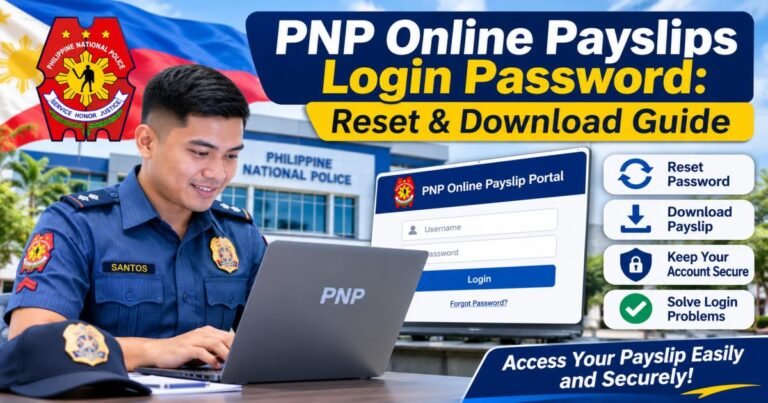
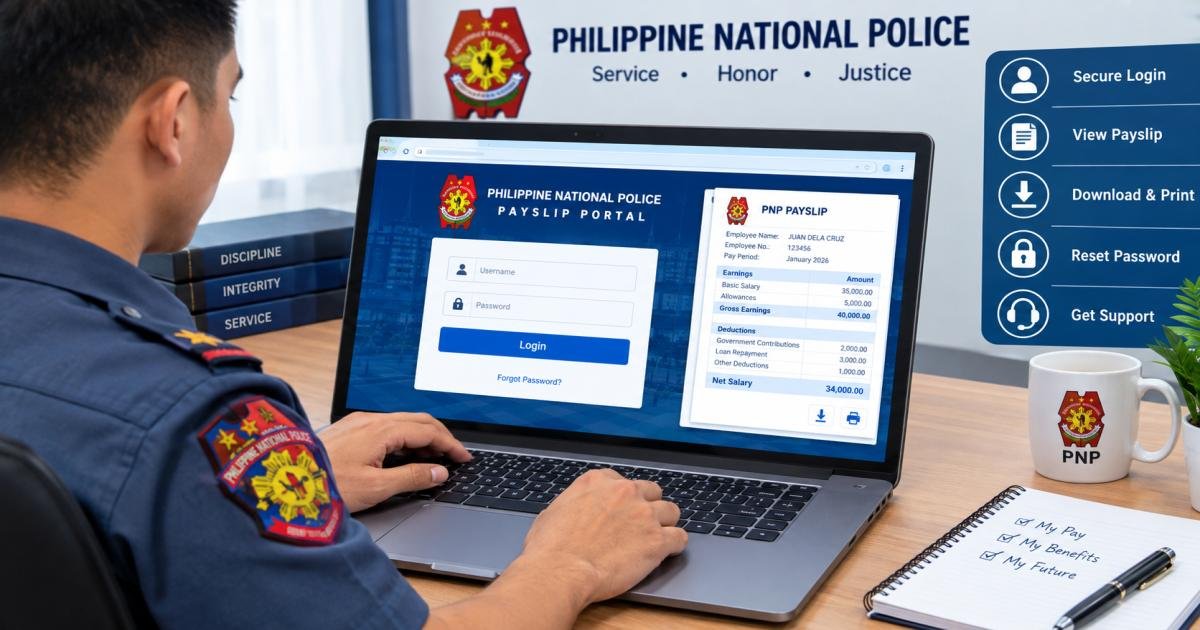
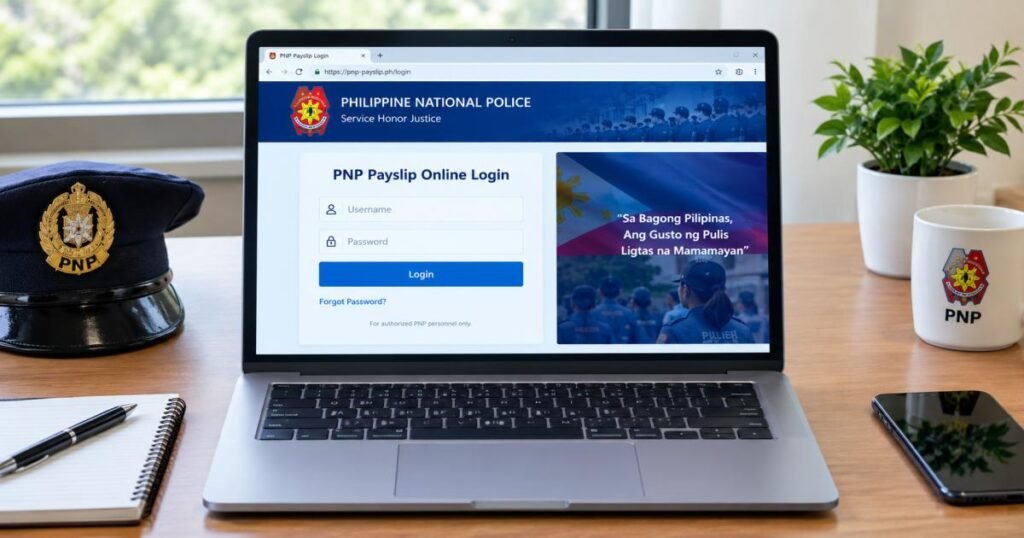
To use the PNP payslip – online login, personnel sign in to the PNP online payslip portal with their own PNP account, open the payslip section and choose a month. The address most guides list is payslip.pnppms.org, and a PNP regional office reportedly links to it.
There is one catch. No current, official PNP document confirms that address, and it sits on a .org domain instead of a .gov.ph one. So confirm the address with your unit’s finance office or the PNP Finance Service first, then type it into your browser yourself.
This guide shows how to sign in, how to download and print a payslip, what to try when login fails, how to recover a password, how to read your pay lines, and where to get official help.
The portal is for PNP personnel only. Whether you search from Manila or from abroad, a member of the public has nothing to log in to. A site that offers to look up someone’s police payroll is not offering a real service.
What Is the PNP Payslip Online Login Portal?
The PNP payslip portal is the online system where police personnel read the salary record for each pay period. It shows what you earned, what was deducted and what you took home.
News reports on the PNP’s Payroll Management System describe personnel viewing gross earnings, deductions, and net pay, and downloading an individual payslip from a connected device. Before this, many personnel had to ask a finance office for a printed copy.
The PNP Finance Service is the office responsible for police payroll. Its website, fs.pnp.gov.ph, is the safest place to start when you are unsure about anything. The system serves uniformed and non-uniformed personnel.
The PNP payslip online login Philippines personnel use is a government payroll service, so treat it with the same care as a bank login.
Now for the detail most guides skip: the address trail. Pages from around 2024 point to the Finance Service site. Pages from 2025 often list a pnp.gov.ph/payslip address. Many 2026 guides name payslip.pnppms.org. A few still mention payslip.pnp.gov.ph, but one independent site tested it in 2026 and got no result at all.
That trail explains why searches for pnp payslip – online login 2024, 2025 and 2026 return such mixed answers. Treat any list of addresses, including this one, as a clue and not as an instruction.
Is the online copy an official payslip? Not for formal transactions. The online version is a reference copy. The Finance Service runs a separate process for an official payslip, and older Finance Service material, as quoted by independent sites, says that version carries a mark showing the Finance Service generated it.
PNP Payslip – Online Login: How to Access Your Account
Before you start, gather three things: a PNP account for the payslip system, a device with an up-to-date browser, and the correct portal address from your unit. A phone browser works as well as a laptop.
- Ask your unit’s finance or administrative office for the current portal address. You can also open fs.pnp.gov.ph and follow the links on that site instead of using a search result.
- Open a new browser tab and type the address yourself. Do not tap it from a social media post, a forwarded message, or a search ad.
- Check the page before you type anything. Look for the padlock and read the domain name carefully. If the browser shows a security warning, stop and read the safety section below.
- Enter your username and password. What username do you use? Most guides say your PNP ID, but the field label can differ, so follow what the payslip login page shows.
- Open the payslip section, usually labeled Payslip or e-Payslip, and choose the month you need.
- Log out when you finish, especially on a shared computer.
How do new users get an account? This is where sources disagree. Some independent guides describe a self-registration form that asks for your full name, PNP ID number, and email address. Others describe login details being issued once you are registered in the PNP’s digital systems.
Neither version appears in an official published procedure, so ask your unit how new accounts are created.
Recent changes in your career can also get in the way. If you were just promoted, transferred, or newly appointed, your payroll record may need time to catch up. In that case, the fix usually comes from the finance or administrative office, not from a new password.
How to Download and Print Your PNP Payslip Online
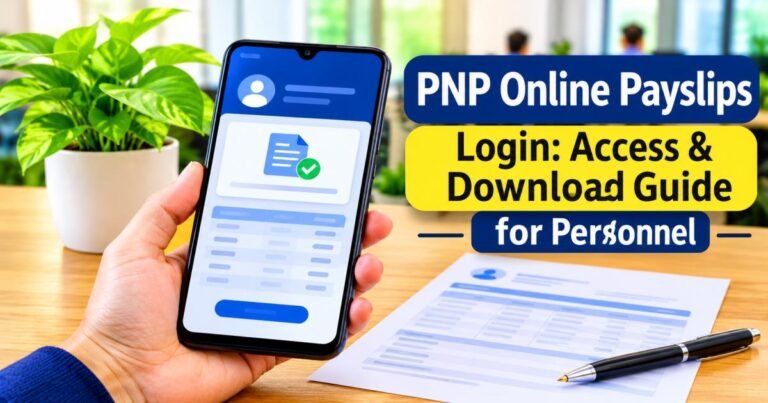
How do you download a PNP payslip? Once you sign in and pick a pay period, the payslip opens on screen. Guides describe options to view, download, or print it, and say the download comes as a PDF file. Button names and positions may differ from what a guide shows, because the interface can change without notice.
To save a copy, open the month you want, look for a download or print icon, and choose to save the file or print it. If nothing happens on a phone, switch the browser to desktop mode or try a different browser. A pop-up blocker can also stop a download, so allow pop-ups for the payslip page only.
Keep the file private. A payslip lists your rank, unit, and pay details, so store it in a folder that only you open. Avoid sending it through group chats, and delete copies from shared or borrowed devices.
Does the portal keep old payslips? The portal does not clearly document how many past months it keeps. If an older month is missing, ask your finance office how to get it.
If a bank or lender asks for a payslip, ask what they accept first. A downloaded reference copy may not be enough, and the Finance Service handles officially issued payslips.
PNP Payslip Login Problems and Possible Solutions
Most login problems fall into a handful of groups. Work through them in this order.
If you see an invalid username or password message, check the basics. Look for typing errors, a stray space, Caps Lock, and the wrong username format. Type the password slowly, or use a password manager if you have one.
If the page will not load, test another website to rule out your own connection. Then try another browser or network. The portal may be down for maintenance, so waiting an hour or a day is sometimes the only fix. Avoid VPNs and restricted workplace networks while you test, since they can block government sites.
If your browser shows a security warning, do not click through it on the word of a post or message. One independent review found what appears to be a regional office post telling personnel to click past a warning to reach the payslip site. The cause may be harmless, but a warning on a page that asks for a password is a reason to stop and confirm the address with your finance office.
Why does the system say your account is not recognized, or that access is denied? The problem is probably your record, not your password. For example, a recent transfer can leave your payroll details out of step. Contact your unit’s administrative office and ask them to check.
If your latest payslip is missing, payroll for that period may not be processed yet, or you may have the wrong month or year selected. Check both, then ask your finance office.
If a download fails, use another browser, allow pop-ups for the page, and try again. If your session expires, return to the login page and sign in again.
How to Reset or Recover Your PNP Payslip Password
To reset a PNP payslip online login password, try the self-service route first. If the login page shows a Forgot Password link, select it, enter the PNP ID or email you registered with, and follow the message sent to you. Check your spam folder if nothing arrives.
Many independent guides describe this link, but they do not agree that it works for every account. At least one 2026 guide warns that email lookup alone may not recover access. If the link is missing or fails, use the route published by the Finance Service itself.
According to a summary of the Finance Service’s 2025 Citizen’s Charter, the Financial Information Management Division handles online payslip password resets. Personnel present valid identification and complete a request form. The office checks the personnel record and then issues a temporary password.
Requirements can change, so confirm the current steps before you travel. Your Regional Finance Service Office can often point you to the right counter.
After the reset, change the temporary password if the system asks you to. Pick a long password that you do not use for your email, social media, or banking. Never share a temporary password or send it in a chat message.
Understanding Your PNP Payslip and Salary Deductions
A payslip helps only if you can read it. The layout varies, but most guides describe the same parts: your name, rank, and unit at the top, the pay period, a list of earnings, a list of deductions, and a final net pay figure.
Gross Salary vs Net Salary
Gross salary is everything you earned in the pay period before anything is taken out. For uniformed personnel, that means base pay plus any allowances and incentives that apply to you. Net salary is what remains after deductions. In short, net pay equals gross pay minus deductions.
Base pay for uniformed personnel follows a rank-based schedule, not the civilian salary grade table. A salary guide published this year reports that the schedule is being raised in three steps, in January 2026, January 2027, and January 2028. It lists a 2026 monthly base pay of 31,151 pesos for a Patrolman or Patrolwoman.
Check any figure like this against official sources. Still, expect your base pay line to change when each step takes effect.
Understanding Allowances, Benefits, and Payroll Deductions
Allowances depend on your rank, assignment, location, and years of service, so two people of the same rank can see different lines. Salary guides commonly list a subsistence allowance, longevity pay, a quarters allowance if you are not given government quarters, clothing or uniform benefits, and hazard or special duty pay.
The same guide reports that the daily subsistence allowance rose to 350 pesos in January 2026 for covered personnel. Mid-year and year-end bonuses are usually paid separately from monthly pay.
Deductions vary too. Typical lines include withholding tax, government insurance contributions, PhilHealth, Pag-IBIG, loan repayments, insurance premiums, cooperative contributions,s and salary assignments. Not every line applies to every person, and the exact amounts depend on your situation and current rules.
How to Check Monthly Pay Details
A two-minute routine each month catches most problems early.
Start at the top and confirm the pay period, your rank, and your unit. Then check that the base pay matches your rank. Next, look at each allowance and ask whether you expect it this month. After that, compare the deductions with last month’s payslip and note anything new or missing. Finally, match the net pay to the amount that reached your account.
Here is a simple example. Suppose your net pay is lower this month than last month. Scan the deductions first. A new loan or insurance line typically explains a drop like that.
Save a copy of each payslip in a private folder. A short history makes it much easier to explain a problem to the finance office later.
What to Do If You Notice an Incorrect Salary or Deduction
Do not assume the portal is wrong, and do not assume you are. First, compare the line with your previous payslip. Many changes have a simple cause, such as a new loan, a loan that ended, a tax adjustment, a promotion that has not reached payroll yet, a transfer, or a new base pay step.
If the line still looks wrong, contact your unit’s finance office and ask for a clear explanation. Bring the payslip and any papers that support your case, such as a loan statement or promotion order.
If the unit office cannot settle it, ask which Regional Finance Service Office handles your record. Keep the conversation on official channels. Posting your payslip or account details in public comments exposes your personal information and does not speed up a correction.
Is the PNP Payslip Online Login Portal Safe?
The system is a government payroll service, but your safety also depends on how you reach it. The main risk is not the portal itself. It is lookalike sites and links that copy a login page and collect your password.
Use these habits every time. Read the domain from right to left, because the real domain is the part just before the first single slash. A name like pnp.gov.ph.example.com does not belong to the PNP. Look for the padlock. Type the address your finance office gave you instead of reaching it through search results, social media, or messages. Never enter credentials on a page you opened from a post or comment.
Two facts deserve extra care. The commonly cited portal address is a .org domain, not a .gov.ph one, and the address trail has shifted from year to year. That is why confirming it with your unit matters. And a security warning on the page is a reason to pause, not to click through.
Protect the account itself as well. Use a password you do not reuse anywhere else. Avoid public Wi-Fi when you view payment details. Log out on shared devices.
Do not give your password, a reset code, or a temporary password to anyone, including people who say they are helping you. Independent guide sites, including this one, cannot see your payslip or reset your account.
Where to Get Official PNP Payslip Login Support
Payslip problems are handled inside the PNP, not by websites you find through a search engine. Three places can help, depending on the problem. For example, a password reset goes to the Finance Service, while a missing payslip after a transfer starts with your unit office.
Contacting the PNP Finance Service
The PNP Finance Service is the responsible office for police payroll, and its site is fs.pnp.gov.ph. Use it for matters such as password reset requests and officially issued payslips.
Follow the site’s own navigation instead of a link from a search result. Payslip pages on that site have moved or gone missing before, so ask your finance office if you cannot find what you need.
When to Contact Your Unit’s Finance or Administrative Office
Start here if you are new to the service, recently transferred or promoted, or unsure that your personnel record is current. This office can also confirm the current portal address, which is the single most useful thing to get from them.
For missing payslips or salary differences that the unit cannot explain, ask which Regional Finance Service Office to approach.
What Information to Prepare Before Requesting Help
Have your full name, rank, and unit ready, along with the month and year of the payslip in question. Write one or two sentences about what happened, and take a screenshot of any error message with sensitive details covered.
Bring valid identification if the process asks for it. Do not send passwords, reset codes, or full salary records through public comments or unverified messaging accounts.
Final Checklist
Run through this list before you sign in, and again if anything goes wrong.
- Get the current portal address from your unit’s finance or administrative office, or from fs.pnp.gov.ph.
- Type the address yourself, then check the padlock and the domain name.
- Stop at any security warning and confirm the address before you continue.
- Have your username and password ready, and keep them to yourself.
- Choose the correct month and year.
- Download your payslip only on a device you trust, and store it in a private folder.
- Compare base pay, allowances, deductions, and net pay each month.
- If something looks wrong, contact your unit’s finance office first, then the Regional Finance Service Office or the PNP Finance Service, with your ID and a copy of the payslip.
- Log out when you finish.
The portal is a useful tool, but the details around it, such as the address, the account steps, and the reset process, can change. When a guide and your finance office disagree, follow your finance office.
FAQs
How do I log in to my PNP payslip account?
Get the current portal address from your unit’s finance office or from fs.pnp.gov.ph, then type it into your browser. Enter your username, usually your PNP ID, and your password. Open the payslip section and choose the month. If the page shows a security warning, stop and confirm the address first.
Can I download my PNP payslip online?
Yes. Guides report that after you choose a month, you can view the payslip, save it as a PD, F or print it. Button names may differ from what you read. The online copy is for reference, so ask the Finance Service about an official payslip if a lender or agency requires one.
Can I access my PNP payslip using my phone?
Yes, the portal is described as working in a phone browser. If you are looking for a PNP payslip online login app, no official PNP payslip app has been confirmed.
An independent app called Pulis Snappy, made by a developer named EREBETE, bundles shortcuts to PAIS, PCODA, email, and payslip pages. Store trackers disagree on whether it is still listed on Google Play, and one reviewer says a virus scanner flagged it as high risk. The safer choice is your phone’s browser with the address from your unit.
What should I do if I forget my PNP payslip password?
Try the Forgot Password link on the login page first and check your spam folder. If that does not work, ask the Finance Service about its password reset process, which reportedly involves valid identification, a request form,m and a temporary password.
Why is my latest PNP payslip not available?
The most likely reasons are that payroll for the period is not yet processed, the wrong month or year is selected, or your record is still updating after a transfer or promotion. Wait for your unit’s usual pay date, check the selection, then ask your finance office.
Is the PNP payslip portal available to the general public?
No. It is for PNP personnel. Members of the public cannot view police payroll, and any site that claims otherwise is not an official service.
Is PNP Online PAIS the same as the payslip portal?
No. PAIS, the Personnel Accounting Information System at pais.pnp.gov.ph, deals with personnel records. A PNP regional office lists PAIS and the online payslip as two separate systems, so use each for its own purpose.
Who should I contact if I cannot access my account?
Contact your unit’s finance or administrative office first. If they cannot solve it, ask about your Regional Finance Service Office, and use the PNP Finance Service for password resets and official payslips.